Arrive knowing your training has a purpose. Josh plans ahead, coaches you through each exercise and records your progress to make the next session count.
Before each PT session, Josh reviews your exercise history, previous efforts and goals. He uses that picture to build your next session, with a planned warm-up, main exercises and cool-down.
The muscle map helps Josh see which areas the plan targets, so your exercises support the muscles and fitness you want to develop. Your feedback helps him make adjustments as your training progresses.
A joined-up approach
Your last session informs your next.
01
Understand your starting point
Your health information, goals and training experience.
02
Look back at your training
The exercises, efforts and feedback recorded so far.
03
Plan the next step
Exercise choices, muscle coverage, sets and rest periods.
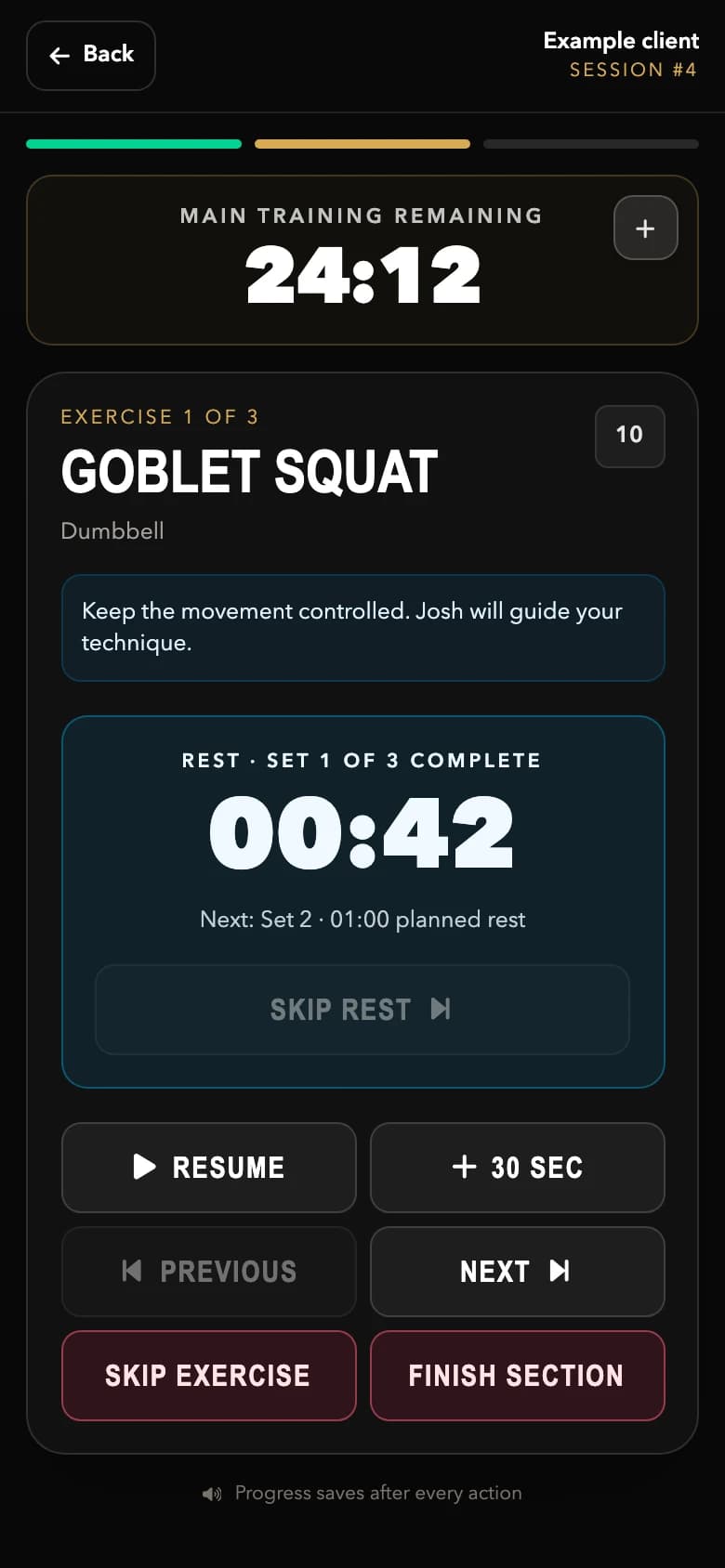
The session runner on iPhone. Actual screen with fictional example data.
02 / While you train
You focus on the effort. Josh takes care of the detail.
Josh has your planned session on his iPhone, ready to guide you from the first warm-up to the final cool-down. He stays with you throughout, coaching your technique and adapting the session when needed.
✓
A clear session structure
Warm-up, main training and cool-down are all part of the plan and checked off as you go.
✓
The right time to recover
Planned rest periods and a set-by-set timer help Josh manage your recovery between efforts.
✓
Your effort, recorded
Josh records what you actually achieve, including sets, repetitions, weights and session feedback. That training record helps him plan your next session.
03 / After your session
See the work you’ve put in.
Once Josh marks your session complete, log in to see its muscle map. Choose a completed session and explore the front and back views to see the muscles involved in your training.
It’s a simple, visual way to understand your session and bring questions to your next conversation with Josh.
The main muscles targeted by an exercise. These appear in brighter gold on your map.
Secondary muscles
The muscles that assist or stabilise the movement. Switch these on to see the wider picture.
Muscle maps show exercise coverage, rather than a measurement of effort or muscle growth.
A better plan starts with you
Before your first session.
Mandatory
Complete your health questionnaire
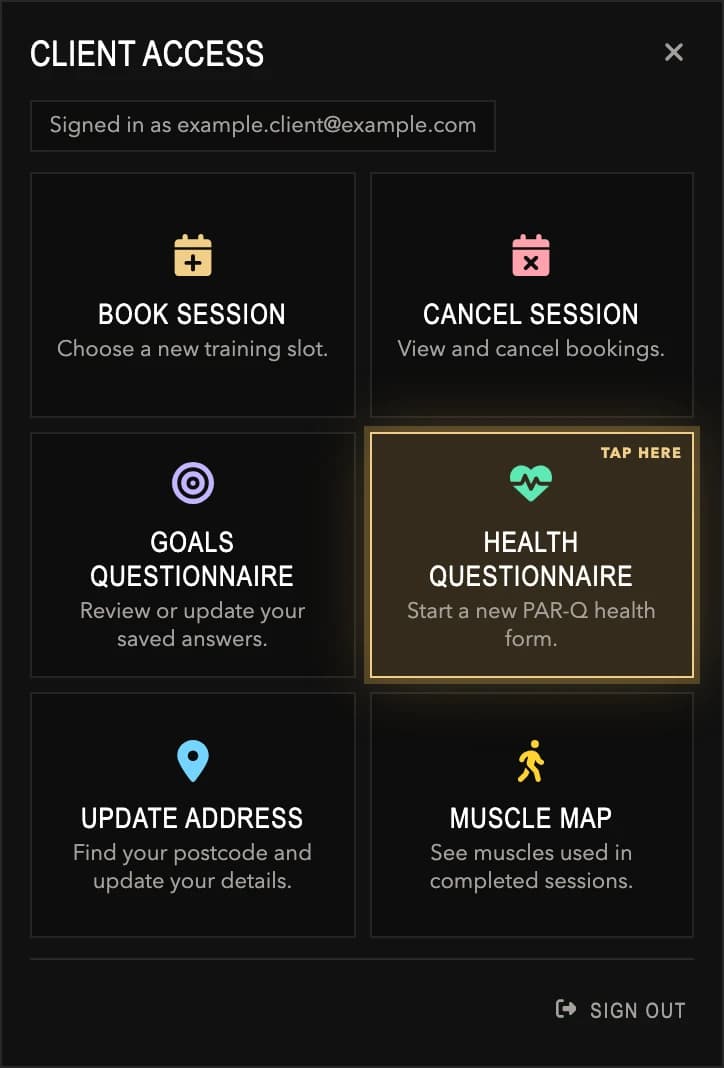
Your health questionnaire (PAR-Q) is mandatory before training. It gives Josh the health information he needs to plan appropriately and discuss anything that may affect your sessions.
Open Health questionnaire in your client menu. Let Josh know if your health or circumstances change.
After logging in, tap Health questionnaire to start a new PAR-Q health form.Strongly recommended◎
Tell Josh what you’re working towards
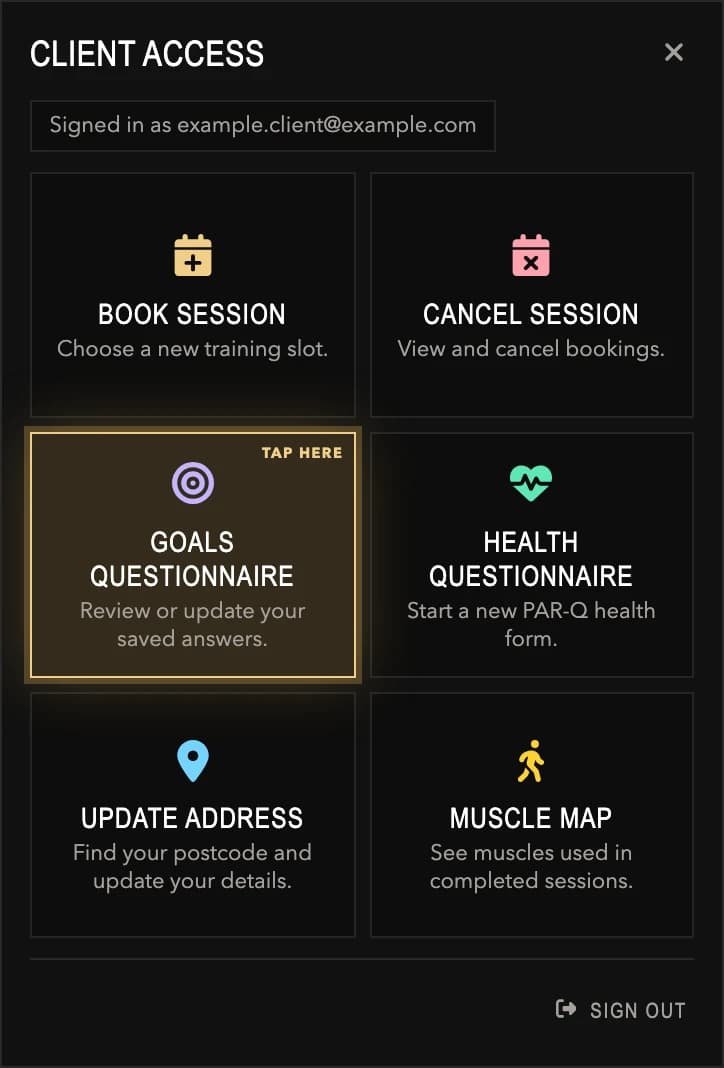
Your goals questionnaire really helps Josh with session planning. Share what you want to achieve, your experience, what you enjoy and what makes training difficult to fit in.
Choose Goals questionnaire in your client menu to complete it or update your saved answers as your priorities change.
After logging in, tap Goals questionnaire to review or update your saved answers.
Your client area
Your training, a few taps away.
Use the website on your phone, tablet or computer to access your client menu.
01
Open client login
Tap the person icon beside the JBrooks Fitness logo at the top of the website. Use the email address you gave Josh for your bookings.
02
Enter your email code
Select Send Code, check your inbox and enter the six-digit code. There’s no password to remember.
03
Choose Muscle map
In your client menu, select Muscle map, then choose a completed session. View the front and back diagrams and switch secondary muscles on or off.
Your muscle maps appear after Josh completes your sessions. If you cannot see the login icon or a questionnaire, contact Josh for help getting access.
Your next step
Let’s give your training a plan.
Start with a free consultation. Talk through your goals with Josh and find out how personal training can fit into your life.